
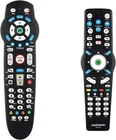
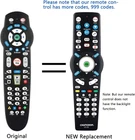
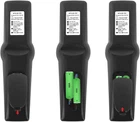
1PCS Remote Control Compatible with Verizon Fios 2-Device, Version 2/3/4/5 RC265
$ 11.74
Description
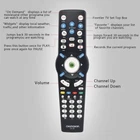
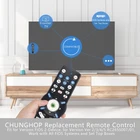
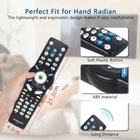
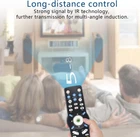
Store New Arrivals Add to Favorite View Feedback Contact 1PCS Remote Control Compatible with Verizon Fios 2-Device, Version 2/3/4/5 RC2655007/01, Work with All Fios Systems and Set Top Boxes Controller Description Item model number 1PCS Replacement Remote Control Item Weight 1.58 ounces Style New Design Product Dimensions 6 x 2 x 0.01 inches Country of Origin China Compatible Devices Set Top Box, Television Max Number of Supported Devices 1 Connectivity Technology Infrared Special Feature Universal Remote This remote control fit for most Verizon cable boxes and set-top boxes, such as SD, HD and DVR boxes; work with Verizon FiOS 2-Device, fios TV STB box. It also fits for RC1445302/00B, verizon fios remote control. (Any question during use, please feel free !) Our remote control for verizon has more than 999 codes which means it will be compatible with over 200+ TV manufacturers remote. It can bring you more convenience and will perfectly to for your verizon remote fios control! Package List: 1* remote control (Batteries are NOT included.) and 1*Remote Control Manual. Lost your original one? Broke your original one? Don’t worry! Just buy it! The remote control can work as well as the original one. More information about usage of the remote, please refer the remote control manual or product description. Quick Program Method: 1. Turn on tv and frontier STB. Make sure you can see live tv. 2. Locate the 3-digit code for your tv brand in the list to the right and circle the correct code. 3. Press and hold the "OK" and "0" keys together. The RED LED on the remote will blink twice and then stay on. 4. Enter the 3-digit tv code for your tv brand using the number pad. The RED LED will blink twice and stay on. 5. Press and release the "CH+" repeatedly until the tv turns off. You can also "back up" by pressing the "CH-" . 6. Test that remote is programmed. If all keys work, press "OK" to save. The RED LED will blink 3 times and turn off. Code Search Method: 1. Turn on tv and the frontier STB. Make sure you can see live television. 2. Press and hold the "OK" and "Live TV" together, then release both. The RED LED will blink twice and then stay on. 3. Press and hold down the "PLAY/PAUSE". 4. The remote will try a new tv code every second, and the RED LED will blink each time a new code is sent. 5. When the TV turns off, stop pressing the "play/pause" right away. 6. You can press the "CH+" or "CH-" to go forward or back one tv code at a time. 7. Test the remote is programmed. If keys all work, press "OK" to save. The RED LED will blink 3 times and then turn off. Product Description This remote control fit for all Verizon cable boxes and set-top boxes, such as SD, HD and DVR boxes; Work with Verizon FiOS 2-Device, Version 2/3/4/5 RC2655007/01, for fios TV STB box. It also fits for RC1445302/00B, verizon all fios systems remote control. The video showcases the product in use. The video guides you through product setup. The video compares multiple products. The video shows the product being unpacked. Upgraded Smart Chip Strongest signal by Infrared technology further transmission for multi-angle induction. All the programs and videos you want to watch can be called up in 0.2 seconds! Long-Distance Precise Control Strongest signal by Infrared technology, further transmisson for multi-angle induction. Precisely control far from 33FT! Some Use Instruction of The Remote Control I have programed the remote control, but some buttons does not work. How can I do? If there has any question during programed or use, you could refer to instruction and the key fic feature. If the instruction could not help you, please let us know, we will solve your problem. I am not sure whether this remote control will work for my device or not. CHUNGHOP is a professional replaced remote control supplier brand. If you have any questions please feel free to tell us, we will reply to you within 24 hours. The “VOL”, “Mute” and "A/V" do not work correctly after my remote programmed, what can i do? 1. Press and hold the "OK" and "*" simultaneously.(The red led will blink twice and then stay on. 2.Press and hold the key that doesn't work correctly. The remote will try a new code. 3.Once the TV responds correctly, release. 4. Press "OK" to save. ABOUT US We offer the best prices around on high quality products. Our E-store includes media such as books, movies, music and games while offering electronics, toys, sporting apparel, clothing, tools, general home, garden items and more. SHIPPING We are always working hard to ensure your package arrives as soon as possible. Please understand that some factors like weather, high postal traffic, and the performance of shipping companies are outside of our control. We offer free shipping to the lower 48 states and ship within 2 business days of payment, usually sooner. We do not accept P.O. Boxes. Please provide a physical address. For shipping outside of the continental USA, we only use eBay's Global Shipping Program.The item is shipped to KY and then sent to the rest of the world. International customers are responsible for all duties and taxes. Continue to check out in order to calculate costs for shipping the item to your country. Messages regarding eBay's Global Shipping Program MUST be directed at eBay EXCLUSIVELY. RETURNS We offer a 30-Day Return Policy on items which you are not completely satisfied with. You have the option for a full-refund or an exchange of the item. No returns are available on items shipped outside of the USA. PAYMENT We accept PayPal. CONTACT US This page content is yet to come Please ad us to your favorite seller and visit again later Thank You CUSTOMER SATISFACTION We try our very best to make sure every customer is completely satisfied. If there's a problem, message us! We're happy to help. WE ACCEPT Copyright © 2021 AutoDS. | All Rights Reserved