
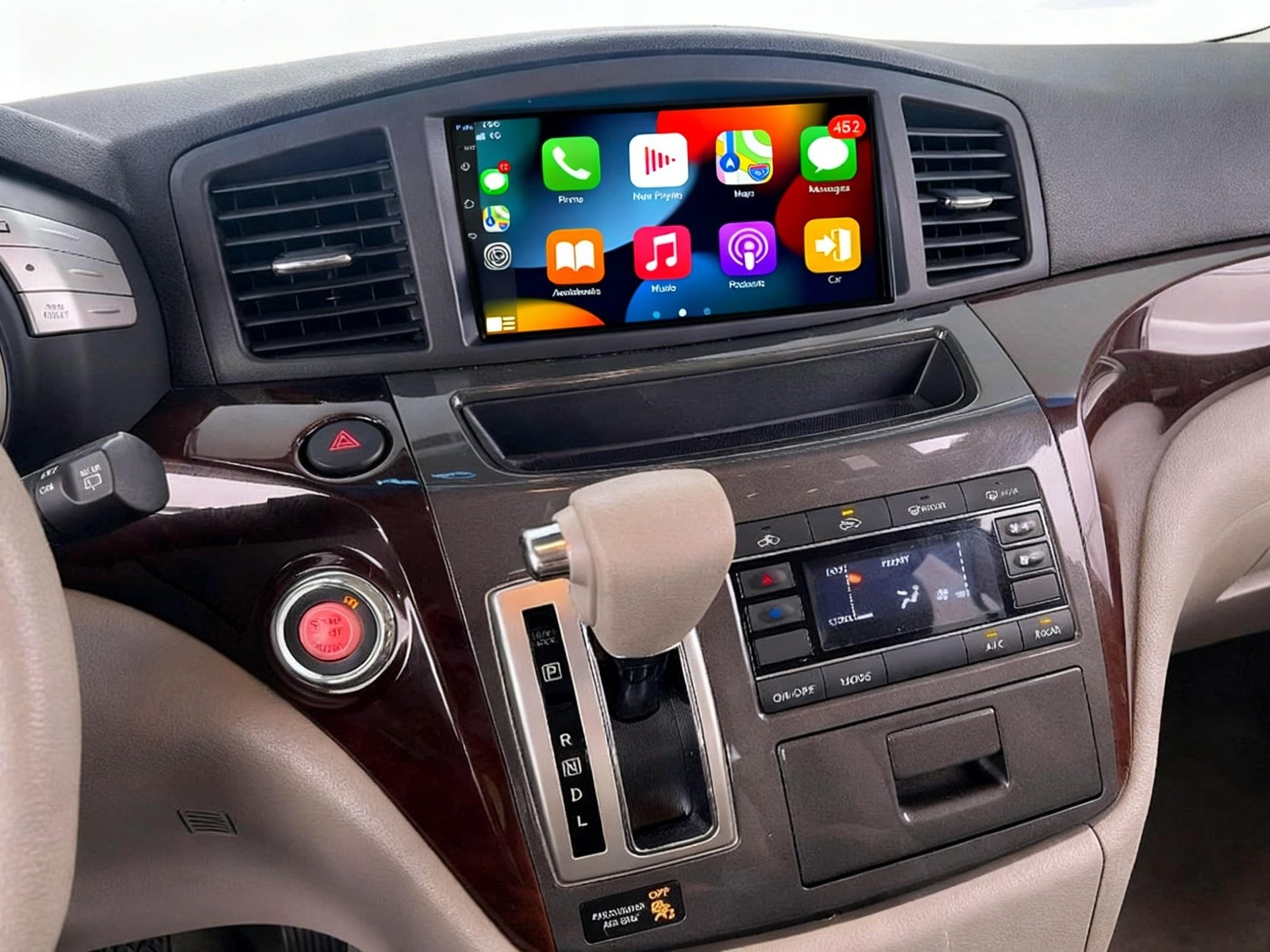







For 2011-2017 Nissan Quest Android Car Stereo Radio Carplay GPS Navi WIFI 7" 32G
$ 62.84
Description
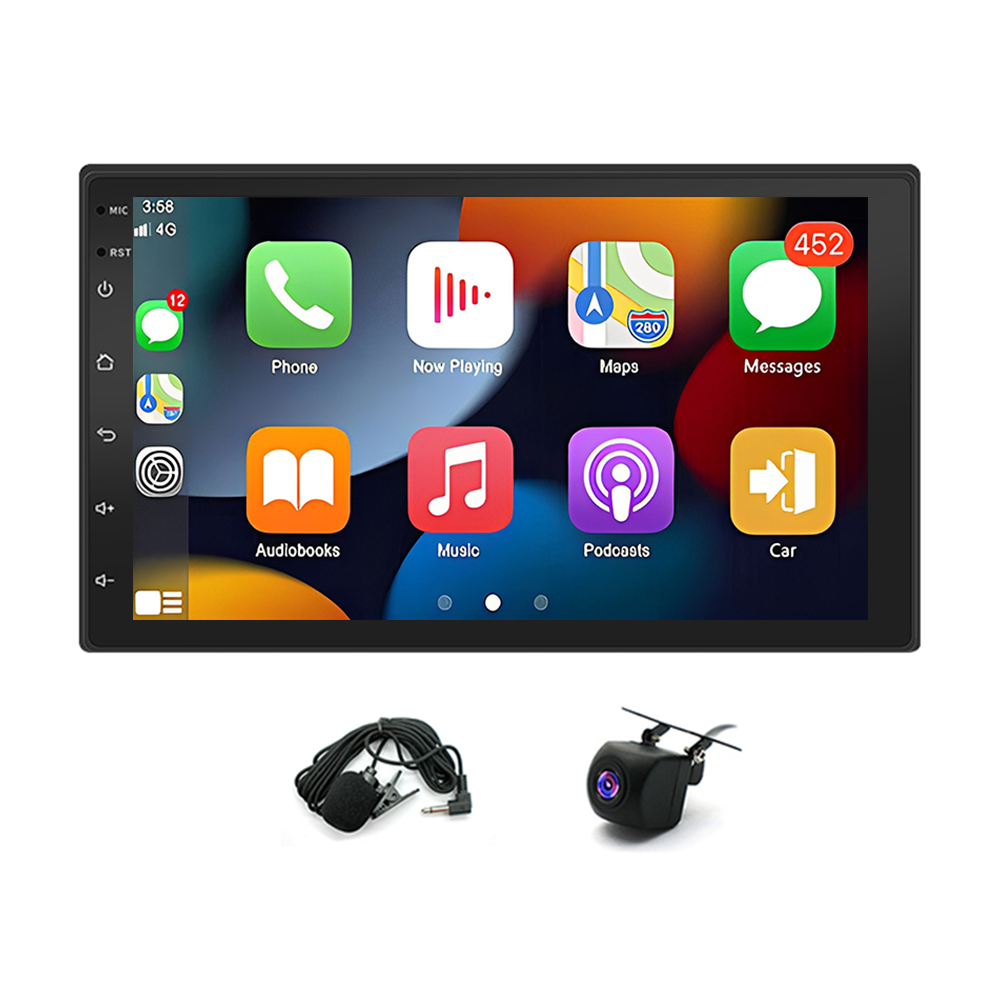
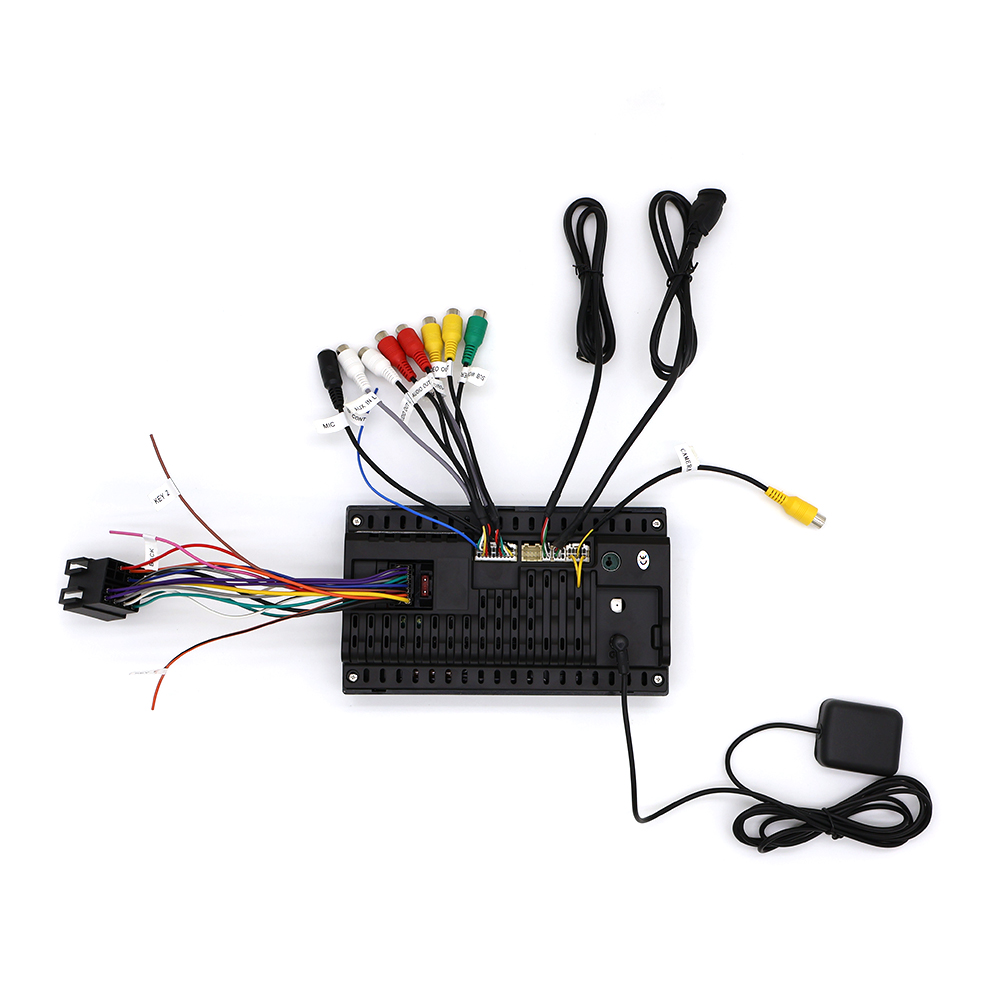
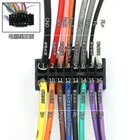
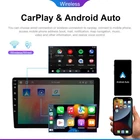
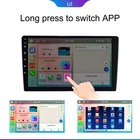
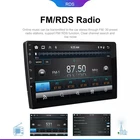
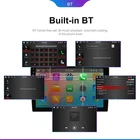
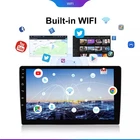
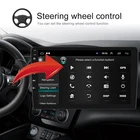
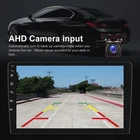
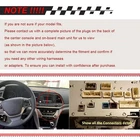
Fnda-Parts-Outlet DESCRIPTION PAYMENT SHIPPING RETURN POLICY CONTACT US Shop Category Store Home Car Radio-01 ◈ US 折扣 Car Radio-02 ◈ NEW SALES ◈ OE CAR PARTS (20% OFF ) Car Radio-03 Car Radio-04 ◈ AUTO PARTS Car Radio-05 Car Radio-06 Car Radio-07 Car Radio-08 Car Radio-09 ◈ NEW SALE ◈ hot sale Car Radio-10 Car Radio-11 Other Hot Item 12V Waterproof Switch Push Button Horn Engine Start Starter For Car Boat Track USD 3.80 10.1" CarPlay Android 13 Radio GPS Stereo FM For 09-12 RAM 1500 2500 3500 USD 139.00 2PCS Dash Power Outlet Cover Fit For Chevy Silverado, GMC Sierra Tahoe 2007-2013 USD 6.99 2PCS 12 Volt DC Waterproof Start Momentary Push-Button Starter Switch USD 6.99 For 2009-2012 RAM 1500 2500 3500 Wifi CarPlay Car Radio GPS Stereo Android 2+32G USD 159.00 Excellent Delivery Help & Info Payment Policy Shipping Policy Return Policy FAQ About Us New List Item New Transmission Valve Body U760E U760 Fits for Toyota Camry / RAV4 2011-2023 USD 264.99 New Front Driver Subframe Extension Brace Crossmember For Honda Civic 2022-2025 USD 61.99 New DSG DQ200 0AM Transmission Valve Body 7 Speed Gearbox For Audi VW Skoda US USD 354.99 New For Honda HR-V 2019-2022 Front Upper Center Grille Molding 71122T7AJ01 US USD 82.99 Driver & Passenger Bottom Leather Seat Cover For 2003-2009 Lexus GX470 Dark Gray USD 84.99 For 2011-2017 Nissan Quest Android Car Stereo Radio Carplay GPS Navi WIFI 7" 32G Features: Vehicle fitment: this car stereo radio is compatible for Frontier 2001-2011, compatible for Juke 2010-2011, compatible for Livana 2006-2010, compatible for Micra/March 2002-2009, compatible for Navara 2001-2011, compatible for NP300 2001-2011, compatible for Paladin 2005-2011, compatible for Pathfinder 2005-2010, compatible for Patrol 2004-2010, compatible for Qashqai 2007-2011, compatible for Sentra/Sylphy 2007-2012, compatible for Sunny 2005-2007, compatible for Teana 2005-2009, compatible for Tiida 2004-2011, compatible for Treeano 2005-2010, compatible for Versa 2006-2011, compatible for X-trail 2001-2011. Wireless & wired car-play: you can choose wired connection or wireless connection to car-play, connect to iOS mobile phone, access mobile phone address book, mail, notification, map navigation, music, video and other information, and realize voice control. Wireless & wired Android-auto: built-in wireless Android-auto car system can closely integrate the user's Android phone and player, and realize navigation, make calls, send and receive information, listen to music and other operations via data cable connection. Support mirror link function: Yes, support WIFI screen mirroring from IOS and android smartphone. Split screen function: two pages can be displayed at the same time, such as navigation and music display at the same time. Built-in WIFI: connect to WIFI, you will find a new world, the most convenient is the online map. Built-in bluetooth hands-free and phone book to play music directly over the phone. (You need to agree to the phone authorization and contact information for syncing your phone settings.) Built-in GPS navigation: you can purchase directly from play store for offline navigation. With wifi connected, Google Maps can be used perfectly, you can go anywhere you want and never get lost again. Rear view camera: car is connected to the reverse gear to automatically switch(backup camera included). Steering wheel control: through it you can control the functions you need via steering wheel, more convenient. Note: Please check your car model before you shoot your order, calculate the year and model number and check the compatibility, or send us a complete image of the plugs on the back of the center console and on-board main unit(as the picture shown) to make sure it matches exactly and help you confirm if you need any other wiring harness or adapters. Specification: System: Android 15.0 Chipset:8227L-DEMO Screen size: 7 inch Touch Screen Memory: 2GB (RAM)+32GB (ROM) Screen resolution: 1024x768 Mirror link: Android/IOS Radio chip: MTK Power output:4x45W Work temperature:-40℃-80℃ Steering wheel control function: support Bluetooth version:4.0 Power amplifier chip:AC7388 Radio band: frequency modulation/RDS Video output: support Reversing input: support External microphone: support Maps: built-in offline maps WIFI: support USB:Double USB interface Audio format: APE/FLAC/WAV/MP3/WMA and more Video format: MKV/RMVB/AVI/MP4/MDV and more Picture format: PNG/JPEG/JPG/GIF/WBMP/BNP and more Factory setting keyword: 8888 Language:Chinese/English/French/Italian/Korean/Japanese/Arabic/Spanish/Portuguese/Russian/Turkish/Vietnamese/Hebrew/Polish/German Fitment: Compatible for Frontier 2001-2011 Compatible for Juke 2010-2011 Compatible for Livana 2006-2010 Compatible for Micra/March 2002-2009 Compatible for Navara 2001-2011 Compatible for NP300 2001-2011 Compatible for Paladin 2005-2011 Compatible for Pathfinder 2005-2010 Compatible for Patrol 2004-2010 Compatible for Qashqai 2007-2011 Compatible for Sentra/Sylphy 2007-2012 Compatible for Sunny 2005-2007 Compatible for Teana 2005-2009 Compatible for Tiida 2004-2011 Compatible for Treeano 2005-2010 Compatible for Versa 2006-2011 Compatible for X-trail 2001-2011 Note: Please check your car model before you shoot your order, calculate the year and model number and check the compatibility, or send us a complete image of the plugs on the back of the center console and on-board main unit(as the picture shown) to make sure it matches exactly and help you confirm if you need any other wiring harness or adapters. Package includes: 1 x Car MP5 Player 1 x Power Cable 1 x GPS Antenna 1 x AHD Backup Camera 1 x RCA Input and Output 1 X External Microphone 2 x USB Cable 1 x Instruction manual How to Wire a Car Stereo Quick Overview of Wiring a Car Stereo Disconnect the battery. Remove any necessary trim and take out the old stereo. Disconnect the wiring, but keep it in its plastic clips. Find and connect all loose wires (using an output converter, if needed). Secure all your wires into place, using methods like soldering or twisting. Test the stereo and install it into your car. Secure the stereo with bolts or spring clips and reinstall the old trim. Part 1 Remove the Old Stereo 1 Disconnect the battery. Because you will be working on the electrical system of your car, it’s important to disconnect the battery before you get started. If you aren’t sure where to locate the battery in your vehicle, refer to your owner’s manual; most car batteries can be found under the hood, but some are kept in the trunk. Once you locate the battery, use a hand or socket wrench to loosen the black cable from the negative terminal on the battery. You will not need to remove the bolt entirely, instead simply loosen it enough to pull the cable off of the terminal. Tuck the cable down to the side of the battery so that it can’t come back into contact with the terminal. You do not need to remove the battery or disconnect the cable from the positive terminal. To be sure the battery is disconnected, check to see if the lights come on in the cabin of the car. Nothing electronic should work with the battery disconnected. Disconnecting the battery will prevent you from doing damage to the electrical system as well as protect you from shocks. 2 Remove any necessary pieces of trim. You will need to gain access to the sides of the stock head unit (or stereo) in your center console. In some cars, that will require the removal of some pieces of plastic trim. Be careful when removing trim pieces, as they may be brittle and subject to cracking. Whenever possible, try to pull the piece of trim out slightly to get a look at what kind of clip is used to attach it. You may need to slide the trim piece in a certain direction to separate it, you may need to hit a release with a screw driver, or you may need to simply pull on it hard enough. Checking first will prevent you from breaking off the clips and having to replace the piece of trim. Consult your car’s repair manual if you want to determine the best way to remove pieces of trim that are in your way. Set the trim aside where you won’t accidentally sit or step on it as you work. 3 Determine how your head unit is mounted. Car stereos are all held in place using one of two methods: spring clips or bolts. Each method requires a different technique for removal. In order to determine what method your car uses to secure the stereo, you can consult your car’s repair manual or look closely once you’ve gotten the trim out of the way. Spring clip mounts may not require the removal of any trim pieces and can be identified by the matching pairs of holes on either side of the stereo. Stereos that are bolted into place may require more trim removal, as you will need to gain access to the space behind the stereo. Look for two pairs of matching holes on the left and ride side of the stereo. If they are present, your stereo is held in place with spring clips. If there are no holes, remove the trim below, above or to the side of the stereo to gain access to the bolts. 4 Use DIN tools to remove spring clipped stereos. If your stereo or head unit is held in place using spring clips, you will need to purchase a pair of DIN tools. DIN tools look like thin pieces of metal bent into the shape of the letter “U” with slightly hooked ends. Insert one DIN tool into the two holes on the left, and another into the two holes on the right. Press them both in until you hear the click of the spring releasing. Spread the tools apart slightly to grip the back of the stereo and pull the tools toward yourself. The stereo will slide out of the console of the car along with the tools. In a bind, you may be able to use pieces of a metal coat hanger to create your own DIN tools. If the stereo doesn’t come out, it is likely stuck by a piece of trim. Don’t force it out, instead look for any obstructions that may be preventing it from moving. 5 Remove a bolted in stereo with wrenches. You will likely need to remove quite a bit more of the trim to access bolts that hold your stereo in place than you would have with spring clipped stereos. Once you are able to see the bolts, removing the stereo should be fairly self-explanatory: there will likely be four bolts, either attaching the stereo to a bracket at the back or on either side. Determine the size of the bolts, then use a hand wrench to remove them. Some brackets won’t require that you remove the bolts completely, but may just need you to loosen them sufficiently to slide the stereo out. There may be a trim “faceplate” over the stereo that pops off, revealing bolts in the face of the stereo instead of behind it. Unscrew these bolts and slide the stereo out. Remember that the stereo is still connected to the car with wires, so be careful not to rip any out as you remove the stereo from the console. 6 Disconnect the wiring. If you are removing a stock head unit, there will likely be at least one plastic clip with a number of wires going into it that you will need to disconnect. There may be a second clip and an antennae cable as well in some cars. These few clips consolidate all the wiring required to connect the stereo to the car’s power source, the antennae and each of the speakers. If you are removing an aftermarket stereo, there is a possibility that there will be no clip and the previous stereo was wired loosely. If that is the case, you may have to cut the wires in order to connect them to the new head unit. Do not pull the wires out of the clip. If you are able to purchase a harness adaptor for your new stereo, it will plug directly into the car’s existing clip. Be careful when removing the wire harness clip from the back of the stereo. It may have a plastic button or tab holding it in place. Part 2 Wire the New Stereo 1 Purchase a wiring adaptor. Your new stereo will come with a diagram indicating what each wire is and what it needs to be connected to, but that process can be made much simpler by using a wiring harness clip adaptor. These adaptors are made to make it easy to connect your new stereo to the car’s existing clip. Use the diagram provided with the stereo as well as the diagram provided with the clip, to loosely connect each of the wires to the new adaptor. 2 Identify and connect loose wiring. If you are not using a wiring harness clip adaptor, you will need to identify the wires coming out of the stereo, as well as those coming out of the car. Without an adaptor, you will need to cut the wires on the back of the car’s harness clip, but do so one at a time as you connect them to their corresponding wire on the stereo to prevent confusion. Use the repair manual for your car or locate a wiring diagram for your car online to aid in your efforts to identify each wire. Most car stereos will require the following connections: The power wire coming from the stereo is usually red, and likely will connect to a red wire from the car. The ground wire for the stereo will be black, as will its corresponding wire from the car. If there is no ground wire, you can secure the ground cable to bare metal in the body of the car to serve as a ground. The 12 volt constant power wire is usually yellow or blue, though it may be a number of colors coming from the car. The rest of the harness wires are for the speakers. Use the diagrams to properly match each with its appropriate wire from the car. The antenna wire is much thicker with a metal head and can be connected separately before you install the stereo. These wires are usually short and won’t be reconnected until you are about to install the new stereo. 3 Connect the output convertor if necessary. Some vehicles will require an output converter to make it work properly with components of the car that are not common industry wide. Some automakers use external amplifiers the stereo’s signal will need to compensate for. Your stereo may have come with an output convertor, but it’s more likely that you will need to order it from an auto parts or electronics store. Be sure you order an output converter designed specifically for your year, make and model vehicle. 4 Secure all connected wires. Once all of the wiring has been connected to their corresponding wires, you will need to make those connections permanent. There are a number of ways you can permanently bond two wires together and while some may be more resilient than others, most will work just fine for car stereo applications. Be sure there is no bare wire metal showing from any of the wire connections by wrapping them in electric tape or heat-shrink wrap. Soldering two wires together requires a soldering iron and solder. You melt the solder onto the wires to stick them together and as the solder cools it forms a permanent bond. Twisting wires together and then covering them with heat-shrink wrap or electric tape will suffice for car stereos. Connectors can be purchased that you simply slide both wires into and either crimp them together with pliers or twist them together with your fingers. Part 3 Install the New Stereo 1 Test the stereo. Before you install the stereo in the center console of your vehicle, reconnect the battery and turn the car on to make sure it is functioning properly. With the stereo completely connected, turn it on and try a few functions. Make sure all speakers in your vehicle are working and that CDs or your MP3 player play properly. If you have been able to connect the antennae cable already, check to make sure the radio works. Checking the stereo’s functions now will prevent you from having to take the console apart again to address any issues with the wiring. If something does not work properly, review the connections with the wiring diagrams that you have to make sure all of the wires are connected to their corresponding match. Remove the keys and disconnect the battery again after you’ve tested the stereo. 2 Tuck all of the wiring into the dashboard. You may have noticed that most of the wires you connected to your stereo allowed for quite a bit of slack. Take the connected car stereo in one hand and use the other to tuck all of the extra wire back into the dashboard as you set the stereo in its opening. If you have not been able to connect the large antennae cable yet because it was too short, connect it now as you sit the stereo in its place. Be careful not to pull any wires out of the back of the stereo as you tuck them back into the dash board. Try not to let the wiring get in the way of the bracket you will need to bolt the stereo too (if your stereo requires being bolted into place). 4 Secure the new stereo. If your stereo utilizes spring clips, it will click as it locks in place and you will not need to take any further action to secure the stereo. If yours uses bolts and brackets, reuse the bolts you removed earlier to secure the new stereo in the same place. If you had to use an adaptor to properly fit the stereo in its space in the console, ensure the stereo is secured to the adaptor and that the adaptor is secured to the car. If you use bolts, make sure they are snugly tightened before reinstalling the trim. Once done, try to wiggle the stereo. It should hardly move at all when properly secured. 5 Reinstall the trim. Being careful not to break any of the plastic clips that hold the trim in place, reinstall each piece in the opposite order you removed them. That means you should install the last piece you removed first, followed by the second to last, and so on. This will make sure overlapping pieces are layered properly. If you break a clip and the trim won’t stay in place, you can use a hot glue gun to secure trim pieces to your car, but be aware that it will make it more difficult to remove those pieces again in the future. If you break an entire trim piece, you will likely need to special order a replacement from the dealership, as most auto parts stores don’t carry trim components. Item Specifics Brand : Unbranded Color : Black Fitment : For 2011-2017 Nissan Quest Custom Bundle : No WIFI : Support DSP EQ : Support Feature 2 : USB, WiFi, Bluetooth, Features 1 : CarPlay, Android Auto, FM radio, Online GPS Navi, Fitment Type : Direct Replacement GPS Navigation : Support on/off Line Map Manufacturer Part Number : For 2011-2017 Nissan Quest Manufacturer Warranty : 10 Years Material : Plastic Metal Modified Item : No Non-Domestic Product : No Number of Pieces : 1 OBD2 : Support Operation System : Android 15 Other Part Number : Plug And Play Performance Part : Yes Placement on Vehicle : Front Radio : FM 87.5-108 MHz RAM : 2GB ROM : 32GB Screen Resolution : 1024*768 Screen Size : 7in Surface Finish : Yes Touch screen Type : Capacitive Multi-touch Screen Type : Android car stereo Universal Fitment : Yes Vintage Part : Yes Warranty : 10 Year Interchange Part Number : For 2011-2017 Nissan Quest Power output : 4x45W Radio chip : MTK Bluetooth version : 4.0 External microphone : support Payment Shipping Returns Contact Us 1. We accept payment via PAYPAL only. 2. Payment must be made within 4 days of auction closing. 3. Total amount due includes the final auction price plus S&H(Shipping and Handling). 1.Our shipping rates include the cost of shipping,handling,packaging and related manpower costs. 2.All item will be shipped within 1 business days. 3.All items will be shipped to buy's paypal address.Please check your paypal address is right. 4.We are not responsible for wrong or undeliverable address.We reserve the right to charge the shipping fee again for returned items due to wrong address. 1.Please contact us via eBay Message if you have NOT received item in 30 days, we will check it with post office, and then resend or refund any missing item. 2.in the unlikely event that your product is faulty in anyway, you must contact us ASAP and then return it within 7 Days of receipt. 3.Return shipping fee should be paid by buyer if wrong item you bought (wrong model or wrong color) and item is defective. We will provide replacement or refund after we received and confirmation. 4.if you need return, please contact and get an address for return from us. 5.All return products should be with all accessories included. If there have any question pls contact us first(send us ebay message),we will try our best to help! All rights reserved.
The product arrived on time matter fact before expected time the product is everything that was in the description. The product work better than I could expect it to and now I am doing the wait-and-see act that means will last a week a month or a year right now the product is all it was described to be.  The appearance of the product installed in the car is great. 
Radio was shipped and delivered very quickly. Was as advertised. However it did not come with the main large harness to hook up the vehicles accessories. I had to buy thay elsewhere. Overall good seller.
SELLER got in contact with me and helped me solve my problem, he was able to re send me product. HAPPY HAPPY HAPPY, will definitely buy again...quick response!!
Related products
For 2019-24 Chevrolet Silverado 1500 5'8" bed Fuel Door Tank Filler Pipe Housing
$ 17.95For 2018-2022 Jeep Wrangler JL Gladiator Car Radio Wireless GPS Carplay Camera
$ 73.02Genuine Mopar Occupant Classification Module 4686943AK
$ 143.87" LCD Display Touch Screen Monitor For Mazda CX-5 2017-20 Radio Navigation US
$ 33.01