
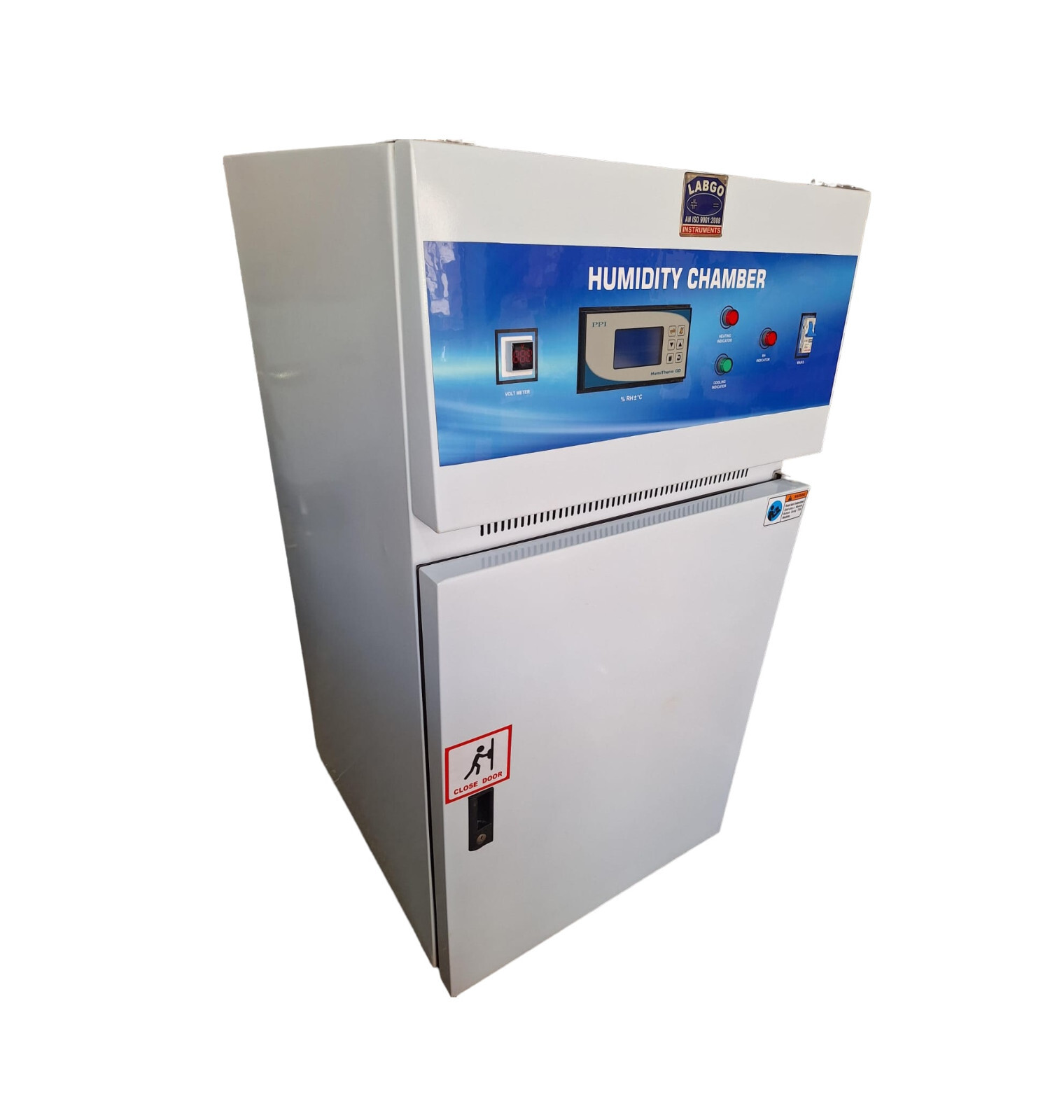
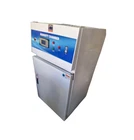
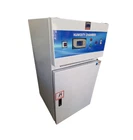
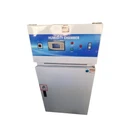
Humidity Cabinet Lab Equipment L8736
$ 2523.68
Description
Humidity Cabinet Description General specification as made out of stainless steel. The temperature can be controlled from -10 C to 80° C and humidity from 30% to 95% ± 5% RH Temperature below ambient is controlled by hermetically sealed compressor complete with accessories provided below the unit. Two stainless steel water reservoirs heated by immersion heaters are provided to create humidity. Complete with all accessories. Control panel provided with control switches and indicators. The manual of Digital Temp. Controller is enclosed with this manual but you shouldn’t try to pre set the program for maintaining accuracy of temperature. The Digital Temp. controlled the temperature before 15 to 20 as the set temperature and temperature will be increase or decrease slowly and maintain it on highest point as your requirement. The Humidity controlled the humidity before 20 to 30 as the set humidity and humidity will be increase slowly and maintain it on highest point as your requirement. CALIBRATION The Automatic Control System incorporated into the Model 99 QW Controlled Environmental Chamber is calibrated prior to leaving the factory. However, as with all humidity and temperature measuring instruments, it should be recalibrated periodically to maintain its specified performance. Calibration of the System should be checked at least once or twice a year depending on the operating conditions and the required measurement accuracy. Complete calibration of the System is performed in two parts. The first part requires calibration of the Humidity and Temperature Control Units. The second part requires calibration of the humidity and temperature sensors in conjunction with the Control Units. Both the Control System and the sensors are easily removed from the Chamber by the following procedure: Open the large front door and loosen the hex cap on the bulkhead fitting holding the humidity (bottom) and the temperature (top) sensors in place. Push the sensors in towards the electronics section. Loosen the four captive fasteners securing the Control System to the Chamber. This system is a completely self-contained unit. Remove the System from the Chamber. Pull the sensors out of the bulkhead fittings and place them outside the Chamber. Remove the four captive fasteners securing the Control System to the Chamber. This system is a completely self-contained unit. Remove the System from the Chamber. Pull the sensors out of the bulkhead fittings and place them outside the Chamber. Remove the top and bottom covers from the Control Unit. The System is now ready for calibration. A calibrated digital voltmeter (DVM) with a 0.1 millivolt resolution and a variable 1 Volt (min) DC power source are required. For calibration of humidity, a calibrated humidity measuring instrument is required. 6.1.1 Control Unit Calibration Figure 6.1.1-1 is a diagram showing the location of the calibrated adjustment points on the Control Unit printed circuit board. The procedure for calibrating the Humidity Control Unit is as follows: 1. Turn the Control System POWER switch on and the DEHUMIDIFY and HUMIDIFY switches off. 2. Zero Offset Adjust - Rotate the HUM SET ADJ control to its fully counterclockwise position (0% R.H.). Adjust R6 so that the voltage measured at U2-6 is 0.000 ± .001 Volts. Use the + lead on C6 as a ground point. 6.1 Humidity Controller 21 3. Full Scale Calibration - Adjust the HUM SET ADJ control to its fully clockwise position (100.0% R.H.). Adjust R4 so that the voltage measured at U2-3 is +5.00 ± .01 Volts. 4. Display 100% Point Calibration - Depress the READ/SET switch and observe the Display reading. Adjust R28 so that the Display indicates 100.0% R.H. 5. Display 0% Point Check - Adjust the HUM SET ADJ control to its fully counterclockwise position. Depress the READ/SET switch and observe the Display reading. It should be 000.0 ± .2% R.H. 6. Sensor Input Zero Offset Adjust - Unplug the Humidity Sensor DIN Connector. Connect a shorting jumper between Pins 1 and 2 of the HUMIDITY SENSOR connector on the rear panel of the Control Unit. With the READ/SET switch in the READ position, adjust R3 so that the voltage measured at Pin 6 of U1 with the DVM is 0.000 ± .1mV. Remove the jumper. 7. Recorder Output Calibration - Connect the + output of the power supply to Pin 1 of the HUMIDITY SENSOR connector and the output (or ground) side to Pin 2. Using the DVM, adjust the power supply for 1.000 ± .001V. Connect the DVM to the RECORDER output BNC connector and measure the voltage. Adjustthe R12 until a reading of 0.500 ± .001V is obtained. The selector switch should be in the READ position for this test. The Display should be reading 100.0 ± .2% R.H. 8. Comparator and Humidity Readout Calibration Test - Using the same test set-up as in Paragraph 7 above, set the power supply for an output of 0.25 ± 0.1V. The Display should read 25.0 ± .2% R.H. Depress the READ/SET switch and adjust the set point to obtain the same exact reading as above. Turn on the DEHUMIDIFY and HUMIDIFY switches. Vary the HUM SET ADJ control by ± 0.5% R.H. The DEHUMIDIFY and HUMIDIFY lights must turn on and off within +0.5% of the set point. The above test can be repeated for 50.0% R.H. (0.50V) and 75.0% R.H. (0.75V) to check the calibration at these humidity points. The above procedure completes the calibration of the Control Unit portion of the system. Figure 6.1.1-1 Calibration Adjustment Points For Humidity Controller Printed Circuit Board 6.1.2 Humidity Sensor Calibration Field calibration of the Humidity Sensor is best performed by comparing the relative humidity reading with a known calibrated reference. The reference unit sensor should be placed next to the humidity sensor and should be allowed to stabilize for at least 30 minutes before making any adjustments to the sensor electronics. The Humidity Sensor calibration can be performed either in the test chamber or in a separate calibration chamber following the calibration procedure below: 1. Remove the Sensor from its mounted position. If the sensor is to be calibrated in the chamber place the reference sensor next to it. If the sensor is to be calibrated outside the chamber, remove the sensor and the electronics module from their installed positions. The electronics unit is held in place by velcro. Remove the screws holding the cover of the electronics unit to gain access to the adjustment controls. 2. Connect the Sensor to the Control unit and turn on the power. Allow at least 5 minutes for the system to warm up. Keep the Sensor and reference unit at the same temperature being maintained in the test chamber for at least 30 minutes to obtain temperature equilibrium prior to calibration. 3. Establish a 12% relative humidity level in the chamber. 4. Read the temperature and relative humidity. Compare the reference unit reading with the level displayed on the previously calibrated Humidity Controller display. They should be within ±2% R.H. of each other. If not adjust the “1-point RH-calibration” control to obtain the correct reading as shown in Figure 6.1.2-1. 5. Establish a 75% relative humidity level for at least 30minutes then read the temperature and relative humidity. Compare the readings. They should be within ±2% R.H. of each other. If not, adjust the “(for factory use only)” control to obtain the correct reading. 6. Recheck the low humidity calibration and repeat the above procedure if necessary. It may require repeating the procedure several times until proper calibration at both ends is achieved. This completes the calibration of the Humidity Control Unit. Another calibration method is using the known relative humidity equilibrium levels of saturated salt solutions; Lithium Chloride LiCl (12% R.H.) and Sodium Chloride NaCl (75% R.H.). These equilibrium levels can be traced to the National Institute of Standards (N.I.S.T.). The accuracy of this calibration method is ± 2% R.H. The relationship between relative humidity and temperature is usually defined using Greenspan’s Calibration Table. GREENSPAN’S CALIBRATION TABLE The equilibrium level of the relative humidity of a salt solutions is dependent on temperature. The correct humidity is obtained from the following table: Figure 6.1.2-1 R.H. Sensor Calibration Adjustment Location Other calibration techniques include the use of wet bulb/dry bulb and chilled plate measurement techniques. Wet bulb/dry bulb instruments should not be used in the test chamber because the wet bulb adds humidity to the chamber making it extremely difficult to calibrate at low humidity levels. However, there are wet bulb/dry bulb calibrators with a small test cell for the sensor that may be used.6.2 Temperature Controller 6.2.1 Control Unit Calibration Figure 6.2.1-1 is a diagram showing the location of the calibration adjustment points on the Controller printed circuit board The procedure for calibrating the Temperature Control Unit is as Ø Sensor Calibration Temp. Controller Sensor P-100 Accuracy +/-0.1 6.2 Temperature Controller 6.2.1 Control Unit Calibration Figure 6.2.1-1 is a diagram showing the location of the calibration adjustment points on the Controller printed circuit board The procedure for calibrating the Temperature Control Unit is as Ø Humidity Sensor Humidity sensor accuracy 1% 6.1.2 Humidity Sensor Calibration Field calibration of the Humidity Sensor is best performed by comparing the relative humidity reading with a known calibrated reference. The reference unit sensor should be placed next to the humidity sensor and should be allowed to stabilize for at least 30 minutes before making any adjustments to the sensor electronics. The Humidity Sensor calibration can be performed either in the test chamber or in a separate calibration chamber following the calibration procedure below: EXTRA FEATURE TEMP -10 TO 80 DEGREE RH 30 TO 95 DEGREE WITH COMPUTER USB PORT DATA CABLE & CD Water temp. controller Temp. Controller Sensor P-100 Accuracy 0 Chambers size in mm W D H Capacity (Approx.) a) 455 x 455x 455 mm 95 ltrs. TERMS AND CONDITIONS ITEM PARCEL Please provide full and correct shipping address and valid contact information FEEDBACK Your feedback is important for growing our business on eBay, so do leave us a feedback THANK YOU


