



WiFi to LAN Network for Printer Smart TV Ethernet Repeater Extender USB AP Mode
$ 9.5
Description
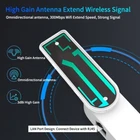
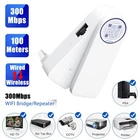
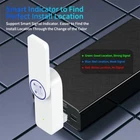
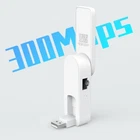
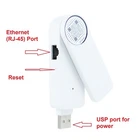
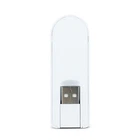
Get ready to enjoy up to 300 Mbps of reliable internet speed with 100M transmission distance (open area). This item is compatible with Windows 2000/2003/XP/Vista/7/8/8.1/10, Mac OS, and Linux. Features: High Gain Omnidirectional Antenna with 3Bi high gain, it can rotate to get the best reception. USB Power port flipping flexibility allows you to connect it in some tight spaces behind the TV or Printer, flexible to connect in different angles of connection. Easy installation by using NFC on Android phone or scanning QF code on iOS or Android. Package includes: The WiFi adapter and a Pin to be able to reset the adapter and reuse it. Working modes When you plug the adapter (or after resetting it) it appears as WiFi-RePeater in WiFi network list then you can connect to that and manage it for installation. During installation you can choose between relay mode or AP mode. 1- Relay mode (REPEATER) is for when you want the adapter to act as repeater and transfer WiFi internet to the LAN port, very usefull for connecting your wired devices such as printer, video projectors, smart tv or etc. to your WiFi network. If it gets installed as repeater it will show up in WiFi list with new name of your own WiFi name plus an extension of _EXT. 2- AP mode is when you want the adapter to act as access point, in this case you have to connect the adapter's LAN port to your router and then it provides connection to your WiFi devices, it means it must be connected to your internet via LAN port and it will share that internet through its WiFi network. In this case you can set a WiFi SSID for this adapter. In case of any question please dont hesitate to contact us.