
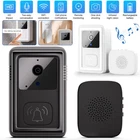

Wireless WiFi Doorbell Smart Security Intercom Phone Video Camera Ring Door Bell
$ 12.57
Description
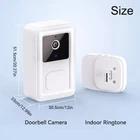
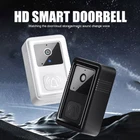
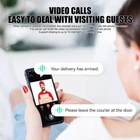
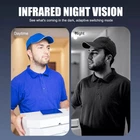
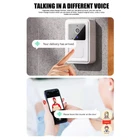
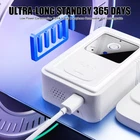
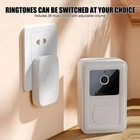
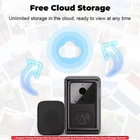
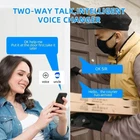
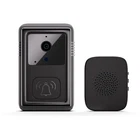
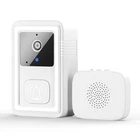
Product Description Features: - Quick Alerts & Notifications: Instantly receive push messages when someone presses the doorbell, ensuring you never miss a visitor. - Two-Way Real-Time Communication: Engage in real-time video intercom with visitors directly through the doorbell. - Energy Efficient with Extended Standby: Enjoy ultra-low power consumption and long-lasting standby time for better reliability. - Enhanced Security Features: Capture images quickly with permanent free cloud storage and enjoy infrared night vision for clear visibility even in the dark. - User-Friendly App & Sharing: The accompanying app supports photo/video capture and family sharing, plus it integrates with traditional ding-dong reminders. Specifications: APP: Doodle Intelligence Video resolution: 640*480 Viewing angle: 85° Storage code: JPEG Push photos: free cloud storage Audio information: Built-in speaker, microphone WIFI mode: 2.4GHz 802.11b/g Night vision type: infrared night vision Power supply information: DC5V/2A Operating temperature: -10°~60 Operating Humidity: 10%~90 Product Color:Black/White Product Size:85*53*24mm Tinker frequency:433.92MHZ Tinker Socket: USB interface Use distance: 150 meters in the open (according to different use environment distance varies) Shell material: ABS Notes: 1. After receiving the product, please charge before use 2. The product only applies to 2.4G network 3. Try to choose a better network conditions for the installation of the doorbell location 4. The product comes with a base that can be fixed, with a dowel, you need to use the dowel to fix the installation, so that it is not easy to fall off Installation steps: 1. First plug the ding dong into the power, press the doorbell ding dong whether it will ring 2. Cell phone scanning instructions to download APP, and then register account 3. Open the phone Bluetooth, enter the APP click to add the device, click the search automatically add, appear doorbell click binding [Key: network 2.4G]. 4. After adding successfully, you can use it 5. Note: Dingtang energized, press the doorbell dingdang does not ring, please re-pair it, the first dingdang dialing power and then plugged in, press the function button on the dingdang, look at the prompt light in the blinking, press the doorbell, press the doorbell dingdang ringing, is the pairing success! Package Content: 1 x Doorbell 1 x Tinker Bell 1 x Film 1 x Charging cable 1 x Instruction manual