

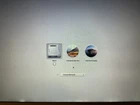
macOS 2-In-1 High Sierra and Catalina Reinstall USB Bootable Flash Drive
$ 9.5
Description
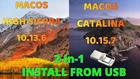
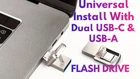
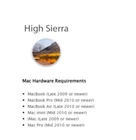
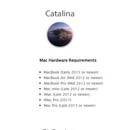
Upgrade or reinstall your Mac with ease using our 32GB Dual USB-C & USB-A 3.2 Bootable Flash Drive, pre-loaded with both macOS High Sierra (version 10.13.6) and macOS Catalina (version 10.15.7). Whether you're looking to perform a fresh install or need to reinstall macOS, this versatile flash drive is the perfect tool for your MacBook, iMac, or Mac Mini. A must-have for anyone looking to revive or upgrade their Apple device without the hefty costs associated with professional services. Key Features: • Dual USB-C and USB-A 3.2 Connectivity: Versatile compatibility with both older and newer Mac devices. • macOS High Sierra & Catalina: Includes both macOS versions, offering you the flexibility to choose the right OS for your device. • 32GB Storage Capacity: Ample space to securely hold both operating systems, ensuring a smooth installation process. • DIY Convenience: Avoid costly technician fees by installing or reinstalling your operating system yourself—simple, quick, and cheaper! • Comprehensive Instructions: Easy-to-follow guidance included to help you through the installation process. Compatibility List: macOS High Sierra (10.13.6): o MacBook (Late 2009 or later) o MacBook Air (Late 2010 or later) o MacBook Pro (Mid 2010 or later) o Mac Mini (Mid 2010 or later) o iMac (Late 2009 or later) o Mac Pro (Mid 2010 or later) macOS Catalina (10.15.7): o MacBook (Early 2015 or later) o MacBook Air (Mid 2012 or later) o MacBook Pro (Mid 2012 or later) o Mac Mini (Late 2012 or later) o iMac (Late 2012 or later) o iMac Pro (2017 or later) o Mac Pro (2013 or later) Instructions for Use: 1. Backup Your Data: Ensure you have a backup of your data if possible before proceeding with the installation. 2. Connect the Flash Drive: Insert the USB-C or USB-A connector into your Mac. 3. Restart Your Mac: Hold down the Option ( ⌥ ) key while powering on your Mac. 4. Select the Installer: Choose the desired macOS version you wish to install from the boot menu. 5. Follow On-Screen Instructions: Complete the installation process as directed.


